
Sending a newsletter
Collect sign-ups on your site and email everyone who subscribed.
Open Newsletter in the editor.
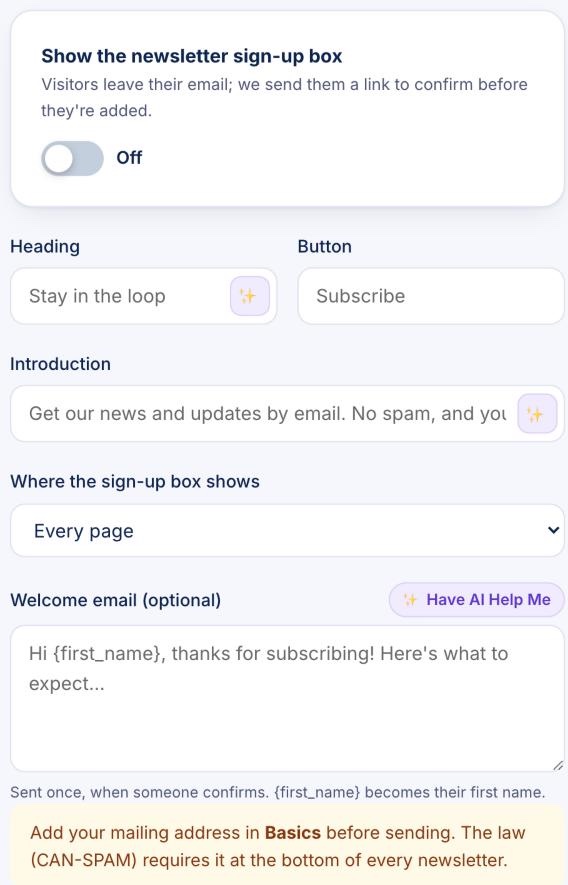
- Switch on Show the newsletter sign-up box and choose where it shows.
- Change the heading, button and introduction if you like, and write an optional welcome email.
- Add your mailing address in Basics. The law (CAN-SPAM) requires it at the bottom of every newsletter.
- To send one, write it in Newsletter, click Send me a test to check it, then Send to your subscribers.
New subscribers get an email to confirm before they're added, so your list stays clean. Every newsletter has an unsubscribe link.