
Frequently asked questions
Everything people usually ask before and after they build their site with Greedbegone NOVA. Can't find your answer? Search the Help center.
Getting started
How does Greedbegone NOVA work?
Pick what your website is for (a church, a business, a nonprofit or a personal site) and choose a design made for it. The right pages, wording and features are already inside. Add your own words and pictures in the editor, then click Publish my site. Your site is online in minutes.
Do I need to know anything technical?
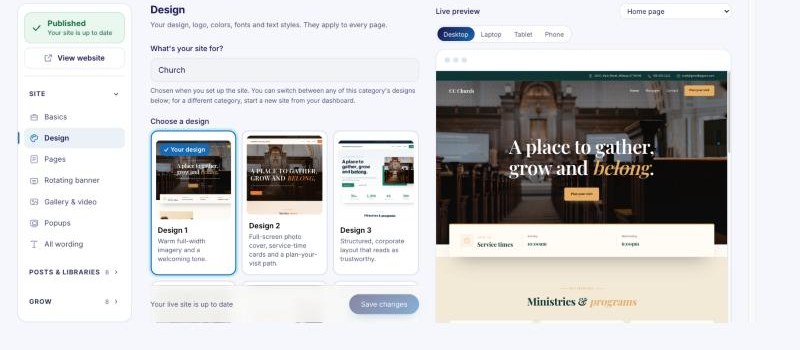
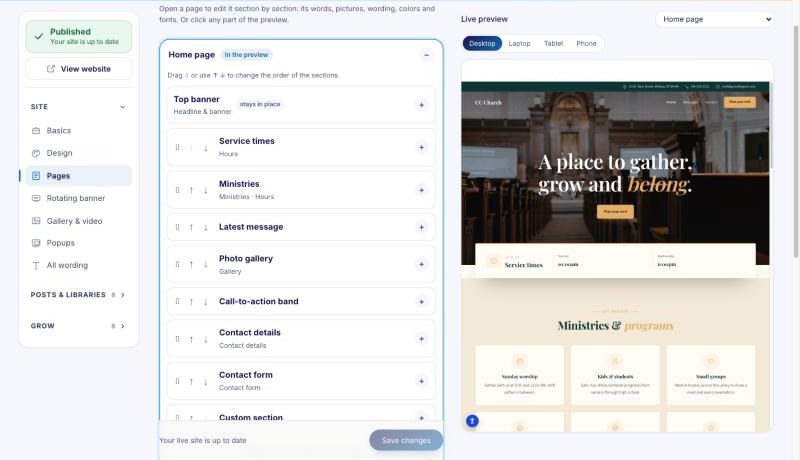
No. Your site shows on the right exactly as visitors will see it. Click any part of it, and its words, pictures, colors and fonts open on the left. There's no code, no plugins and nothing to install, and we look after hosting, security and updates.
How long does it take to go live?
Most people publish their first version the same day. After that, each change goes live a few seconds after you click Publish. Connecting your own domain can take up to a day while the internet catches up; your site stays online at its temporary address in the meantime.
Will my site work on phones?
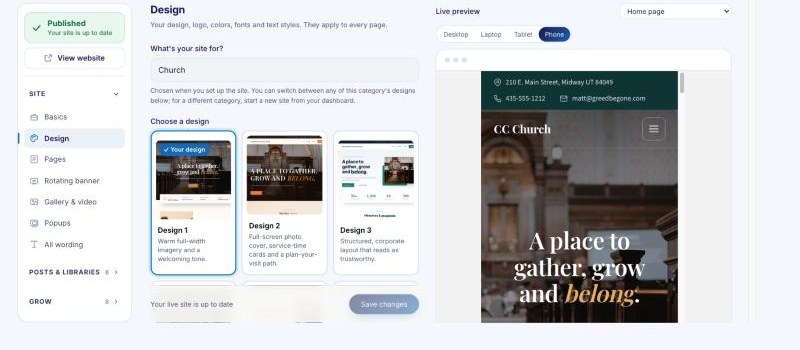
Yes. Every design works on phones, tablets and computers. Switch the live preview between Desktop, Laptop, Tablet and Phone to check each one before you publish, and set text sizes per device if you want more control.
Pricing & billing
How much does it cost?
You pay a one-time setup fee (where your plan has one) and then monthly. There are no yearly contracts.
- The DIY: no setup fee, $45/month.
- The Done Deal: $499 one-time setup, then $45/month.
- The VIP: $499 one-time setup, then $99/month.
Hosting, SSL and updates are included. Compare what each plan includes.
Is there a contract? Can I cancel?
No contract: you pay month to month and can cancel anytime from your dashboard (Billing, then Cancel). Your site stays online until the end of the month you've paid for. See our Terms for the details.
What happens when I add or remove a monthly add-on?
Adding one (like extra space, email accounts or MP3 hosting) charges the difference for the rest of your billing month straight away. Removing one gives you a credit for the unused part of the month on your next bill. Either way, we email you the new monthly total, line by line.
Can I change plans later?
Yes, anytime, from Change plan on your dashboard. Moving up unlocks the new features right away. Moving down applies from your next bill; if the smaller plan has lower limits, we tell you exactly what would be removed before you switch.
Storage & photos
How much storage do I get?
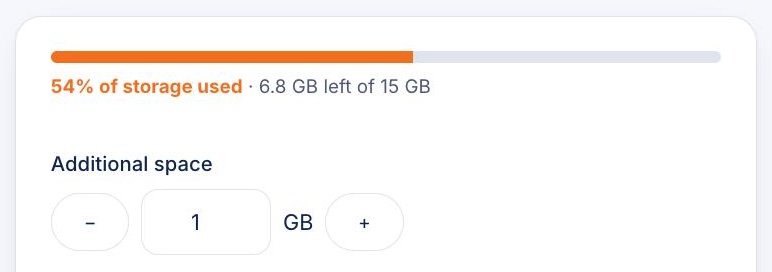
Your photos, files and MP3s share one storage total: 15 GB for churches, 5 GB for online stores and 1 GB for every other kind of site. Your dashboard shows how much you've used and how much is left. Photos are resized automatically when you upload them, so they load quickly and take up less room.
Need more? With MP3 hosting on, add more space $5 per GB each month, or get unlimited space for $19/month (for sites with their own hosting account). Choose Purchase additional space on your dashboard.
Can I use a photo I uploaded before?
Yes. Next to any photo, choose Your uploads to see every photo you've uploaded to your site, newest first, and click one to use it again. Photos you take off your site stay in Your uploads until you delete them, and they count toward your storage.
Domains & email
Can I use my own domain name?
Yes, on every plan. Connect the address you already own (like yourchurch.org) and we add free SSL, so it shows the padlock. Until it's connected, your site works at a temporary address. Don't have a domain yet? Buy one from any domain company and connect it in the Your domain section of the editor.
Can I get email at my domain?
Yes. Add email accounts like info@yourchurch.org in the Email accounts section, for $3/month each. The The VIP plan includes 10. Use them in webmail, on your phone or in any email app. Your domain needs to be connected first.
Editing & publishing
How do I publish my changes?
Click Publish at the top left of the editor. Your changes are saved as you go, but visitors only see them once you publish, so you can work on something and finish it later. Publishing usually takes a few seconds.
Can I undo a change?
Yes. A copy of your site is kept every time you publish, and once a day while you edit, for 20 days. Open Publish in the editor and use Version history to bring back an earlier version.
Can other people help edit my site?
Yes, with team accounts on the The VIP plan. Invite staff or volunteers and choose what each person can change. Billing, your plan and your domain always stay with you.
For churches
Can I put our sermons online?
Yes. The Media Manager gives every message its own page with video, audio and notes, and visitors can search by series, speaker, book, topic and year. Import years of messages from a spreadsheet in one go, upload MP3s with MP3 hosting, and get podcast feeds for Apple Podcasts and Spotify that update themselves.
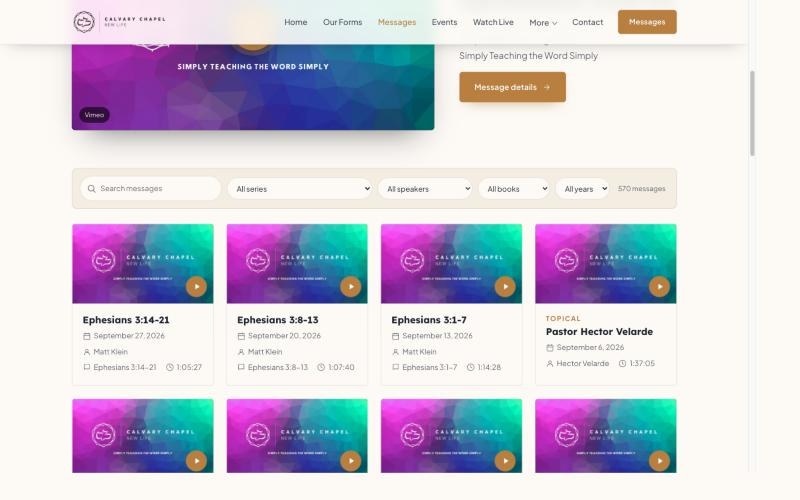
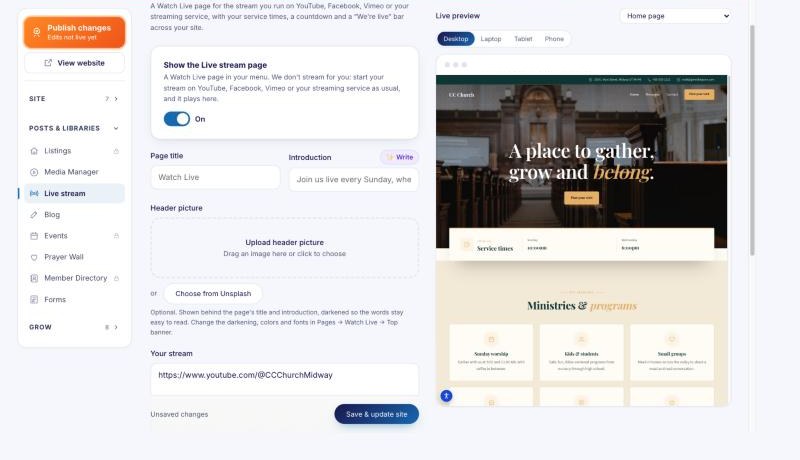
Can visitors watch our live stream on our site?
Yes. Paste your YouTube, Facebook, Vimeo or streaming-service link and add your service times. Visitors get a countdown to the next service and a "Live now" badge while you're streaming.
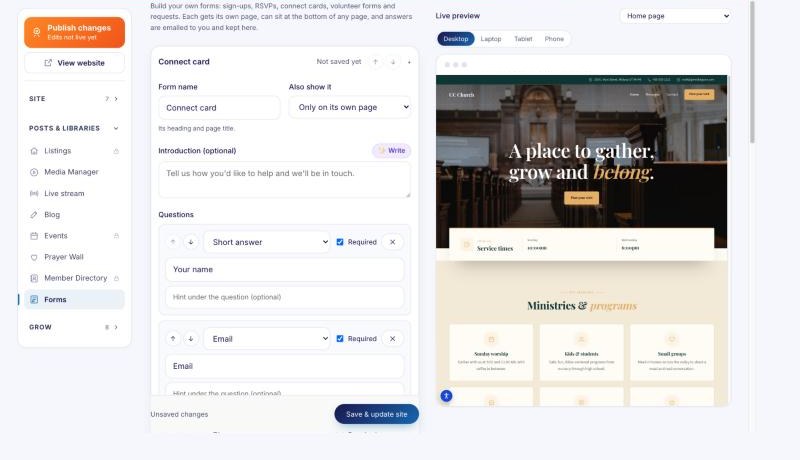
Can people fill in forms on our site?
Yes. Build connect cards, sign-ups, RSVPs and volunteer forms with the forms builder. Answers are emailed to you and kept in the editor, and you can download them all as a spreadsheet.
Help
How do I get help?
Search our Help center for step-by-step guides, or send us a support request from your dashboard (Support) and we'll answer by email. Inside the editor, Help is always one click away.
Ready to see your own site?
Pick what your site is for, choose a design, and watch it come together.