
Filling in your Basics
Your name, contact details and service times, used all over your site.
Open Basics in the editor. What you enter here appears wherever your site needs it: the top bar, the footer, the contact section and more, so you only type it once.
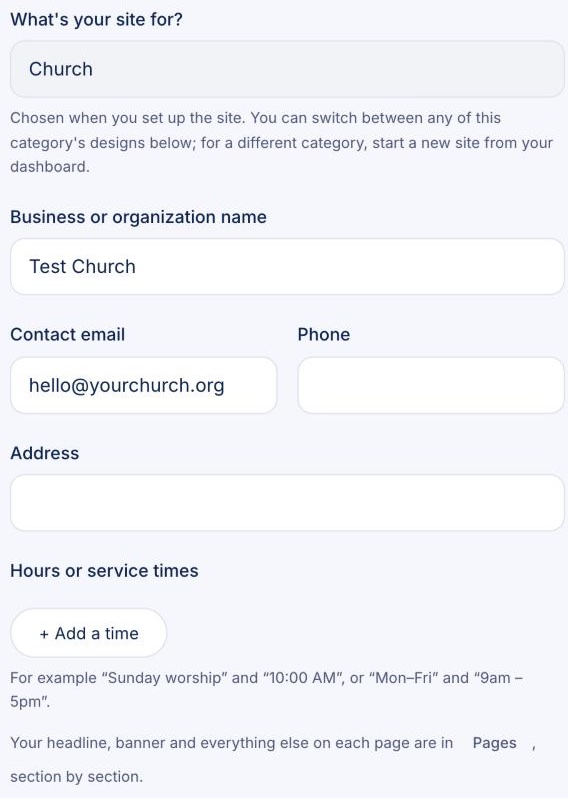
- Business or organization name: shown at the top of every page.
- Contact email and Phone: where visitors reach you. Your email is hidden from spam bots but still clickable for people.
- Address: shown in your contact section, with a map.
- Hours or service times: click + Add a time for each one, like "Sunday worship" and "10:00 AM".
Sending newsletters? Add your mailing address here: the law asks for it at the bottom of every newsletter.