
Connecting your domain, step by step
Point your own address at your site in a few minutes.
Open Your domain in the editor.
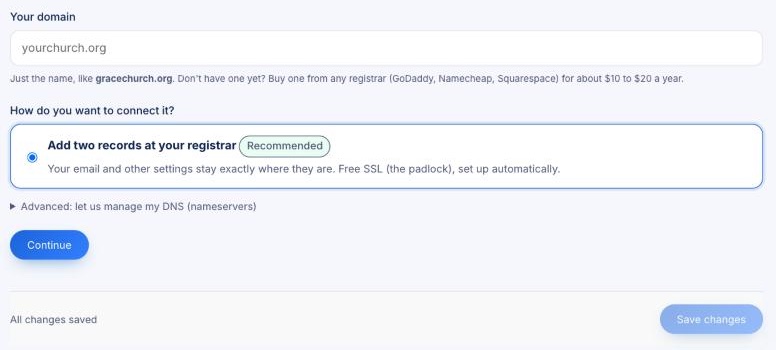
- Type your domain, like yourchurch.org (just the name).
- Choose Add two records at your registrar (recommended). Your email and other settings stay exactly where they are.
- Click Continue. You'll see the two records to add, with the values to copy.
- Sign in where you bought your domain (GoDaddy, Namecheap, Squarespace…), open its DNS settings, and add them.
Your site switches over by itself once the records take effect, usually within an hour and sometimes up to a day. The padlock (SSL) is set up automatically. Until then your site keeps working at its current address.